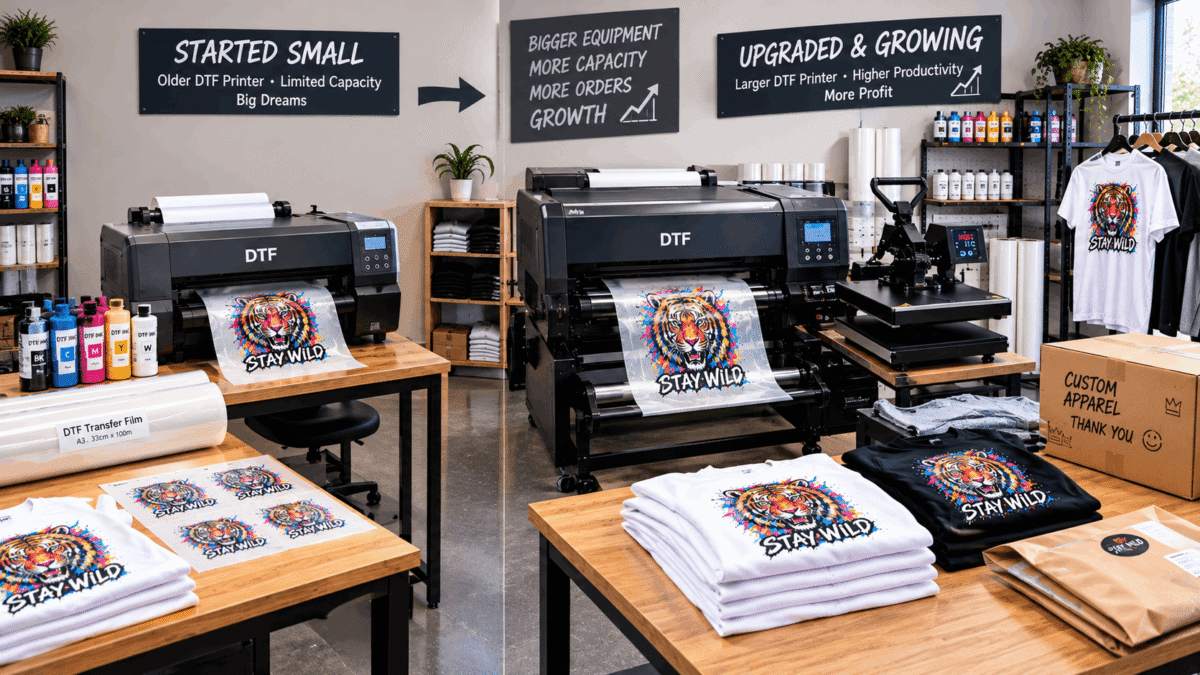
Knowing when to upgrade a DTF printer is important for an apparel business that is moving beyond its original production setup. Upgrading too early can create unnecessary costs, while waiting too long can lead to production delays, maintenance problems, and difficulty handling new orders.
The right time depends less on how old a printer is and more on whether the current equipment still matches the business’s workload, quality requirements, workspace, and growth plans.
Signs It May Be Time to Upgrade a DTF Printer
A DTF setup does not necessarily need to be replaced simply because the business is growing. However, several practical warning signs can indicate that existing equipment is becoming a limitation.
Production Is Taking Too Long
If the printer regularly becomes a bottleneck, production capacity may no longer match order demand.
For example, a small apparel business might begin with occasional custom T-shirt orders. As the customer base grows, the same equipment may have to handle substantially more artwork and transfer production.
When printing becomes the slowest part of the workflow, it is worth reviewing the printer’s output capacity and the business’s expected order volume.
Maintenance Is Interrupting Production
Routine DTF printer maintenance is normal. White ink circulation, nozzle checks, cleaning, and proper handling of consumables are important parts of keeping a DTF workflow reliable.
The issue arises when maintenance problems repeatedly interrupt scheduled production.
Frequent cleaning requirements, persistent print-quality problems, or recurring downtime can make it useful to evaluate whether the existing equipment remains suitable for the business.
Print Quality Is No Longer Consistent
A growing apparel business may become more demanding about color accuracy, fine details, white ink coverage, and overall transfer quality.
Before upgrading, the owner should first determine whether the problem comes from maintenance, ink, film, RIP settings, artwork preparation, or another part of the workflow.
If the equipment itself is consistently limiting the desired output after appropriate troubleshooting and maintenance, an upgrade may deserve consideration.
When to Upgrade a DTF Printer Based on Order Volume
Order volume is one of the most useful factors when deciding whether to upgrade.
A business should look at its actual production requirements rather than choosing equipment based only on maximum advertised capacity.
Consider questions such as:
- How many transfers are produced each week?
- How often does the printer operate?
- Are orders becoming more consistent?
- Are customers waiting because of production capacity?
- Is there enough time for maintenance between production runs?
- Is the current setup leaving little room for additional orders?
A business that is consistently operating close to its practical capacity may need more production flexibility.
Consider the Complete DTF Workflow
Upgrading the printer alone does not automatically solve every production problem.
A DTF workflow can include printing, film handling, adhesive powder application, curing, heat pressing, garment preparation, quality checks, and packaging.
If the printer becomes faster but powder application or curing remains slow, the overall production bottleneck may simply move to another stage.
Therefore, businesses should identify the actual bottleneck before purchasing new equipment.
A useful equipment review can also include guidance on DTF printer options for small businesses, particularly when comparing printer size, production requirements, maintenance considerations, and the broader equipment setup.
A Larger Printer Is Not Always the Right Upgrade
Growth does not automatically mean buying the largest available machine.
For some businesses, a modest upgrade may provide enough additional capacity without requiring a major workspace change. For others, increased demand may justify a more substantial production setup.
The decision should consider:
- Available floor and table space
- Expected order volume
- Print dimensions
- Number of operators
- Maintenance requirements
- Ink and film consumption
- Curing and finishing capacity
- Future production plans
An upgrade should solve a real business limitation rather than simply provide additional specifications that may never be used.
Calculate the Cost of Upgrading
Before purchasing new equipment, compare the expected benefits with the total cost.
The calculation should consider more than the printer’s purchase price. Depending on the setup, additional expenses may include DTF ink, PET film, adhesive powder, software, maintenance supplies, curing equipment, electricity, installation, and workspace adjustments.
The business should also consider what happens to the existing printer. It might remain useful as a secondary machine, be sold, or become unnecessary.
A practical question is:
Will the additional production capacity or improved workflow create enough business value to justify the upgrade?
The answer depends on the individual operation rather than a universal sales threshold.
Upgrade for Capacity, Not Just Speed
Speed is useful, but capacity should be considered more broadly.
A suitable upgrade may provide better handling of larger print areas, improved workflow efficiency, more consistent production, or greater flexibility for different order types.
For instance, a business that mainly produces small logos may have different requirements from one producing large full-front graphics on hoodies and T-shirts.
The best upgrade is therefore the one that addresses the specific production constraint.
Plan for the Next Stage of Growth
Equipment should support the business’s next stage without creating unnecessary complexity.
Before upgrading, estimate expected demand over the coming months and consider whether the new setup can accommodate that workload.
It is also useful to review the workspace, operator skills, maintenance routine, consumable storage, and finishing equipment at the same time.
If the business expects continued growth, choosing equipment with appropriate capacity can reduce the need for another major change shortly afterward.
Questions to Ask Before Buying New Equipment
Before committing to an upgrade, ask:
- Is my current printer actually limiting production?
- Is the problem caused by the printer or another workflow stage?
- How much additional capacity do I realistically need?
- Can my current workspace accommodate the new setup?
- Have I calculated the full operating cost?
- Will my heat press and curing process keep up with the upgraded printer?
- Can I maintain the new equipment properly?
- What will happen to the existing printer?
- Does the new setup match the types of garments and designs I produce?
- Is the upgrade appropriate for my expected business growth?
These questions help separate a genuine production need from an unnecessary equipment purchase.
The Bottom Line
A DTF business should consider upgrading its printing equipment when the existing setup consistently limits production, quality, workflow efficiency, or the ability to handle expected demand. The decision should be based on the entire printing process rather than printer speed or purchase price alone.
By identifying the real bottleneck, calculating total operating costs, reviewing workspace requirements, and matching equipment capacity with realistic order growth, a small apparel business can make a more informed upgrade decision.

